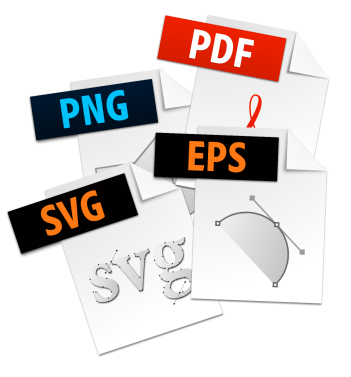
File formats are just part of digital media’s nature. Below is a simple list of the file types you’ll most likely encounter, and what each one is best used for.
Why do we need different file formats?
Each file type has a specific purpose and is optimized for it. Websites use digital screens and don’t need the same high resolution as a large glossy magazine. Each format holds specific things that serve specific purposes. GIFs, for example, are animated and hold only 256 colors, which makes them small and quick to load, whereas a proper PDF combines text, vector graphics, and bitmap images. Even a simple RTF or CSV file has its own styling for its specific job.
The formats you’ll work with
These are the file types you’ll most likely need when creating a website, presentation, video, or print piece.
Adobe Illustrator (.ai)
A vector-based graphic made of shapes. Mostly used for print, it's a scalable format fit for any professional purpose. Used for: brochures, logos, apparel.
Encapsulated PostScript (.eps)
The original vector format, still in use today; anyone who works with a PDF or AI file can work with an EPS. Mostly for print, and ideal where scale matters, like embroidery and apparel. Used for: brochures, logos, apparel.
Portable Document Format (.pdf)
Adobe created the PDF to hold layout and design steady across every platform. We use PDFs to present a finished product. It's never a good idea to edit a PDF or to save a bitmap image into one. Used for: designed documents, logos, ebooks.
Scalable Vector Graphic (.svg)
Like an EPS or AI file, but built from HTML-like code, and mostly used for web. Perfect for logos that scale cleanly across desktop and mobile, and usable in apps, websites, and print. Used for: logos, scalable graphics.
JPEG (.jpg)
For websites, slideshows, presentations, and digital use. The JPEG standard (ISO/IEC 10918) arrived in 1992. Best for photos and graphics with lots of colors. Used for: photos, websites.
Portable Network Graphics (.png)
For websites, slideshows, presentations, and digital use. PNG supports transparency, including gradient transparency, so it's ideal when the background needs to show through. Best for logos and flat graphics, not needed for photos. Used for: logos, flat graphics.
Breaking it down: for websites and social media
- Convert images to 72 DPI and RGB color.
- Scale photos down to 1024 to 2048 pixels wide.
- For photos, use PNG or JPG.
- For flat graphics like logos, use SVG.
Free tools we recommend
macOS Preview · GIMP · Paint 3D
Need help with your content?
Request an engagement and we’ll help you get it right.